




Aura Wireless Adapter
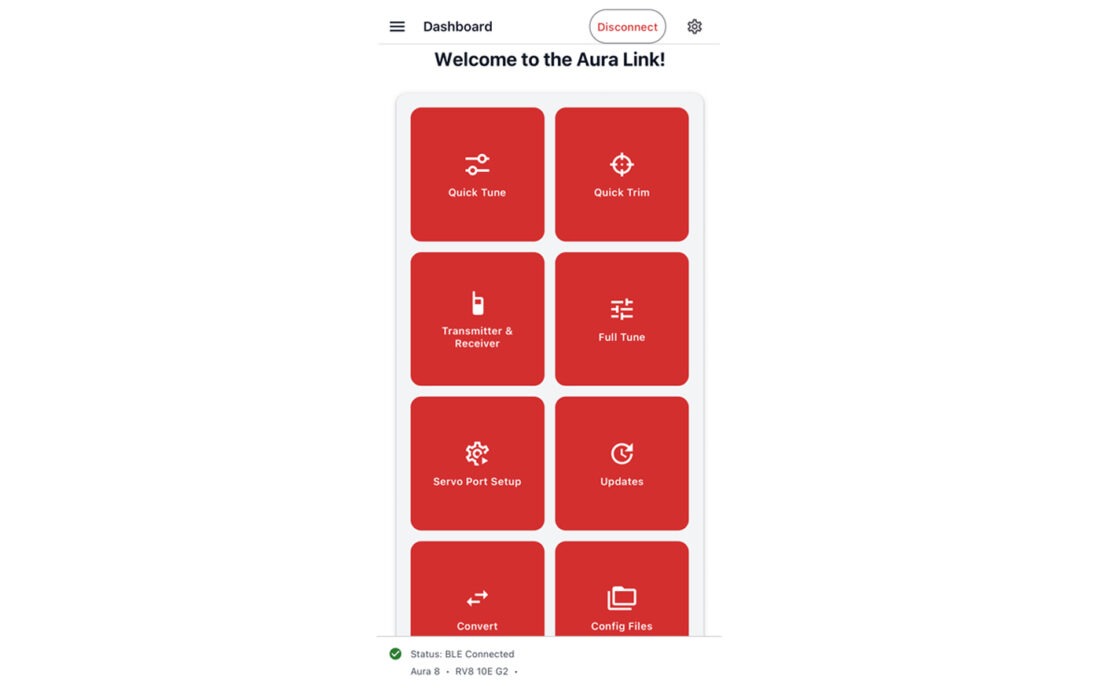
The days of bringing a laptop to the field are coming to an end! Designed to enhance Aura’s ability to connect pilot and flight, the Aura Link Mobile App puts setup and tuning directly on your mobile device — so you can focus on what truly matters: the experience of flight.
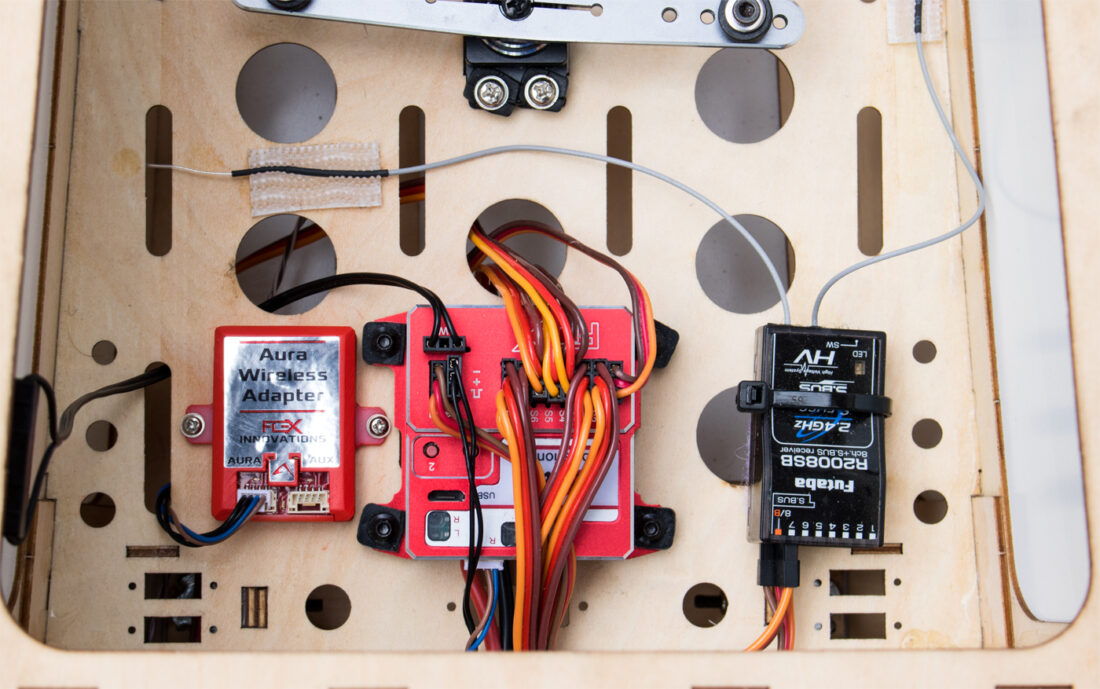
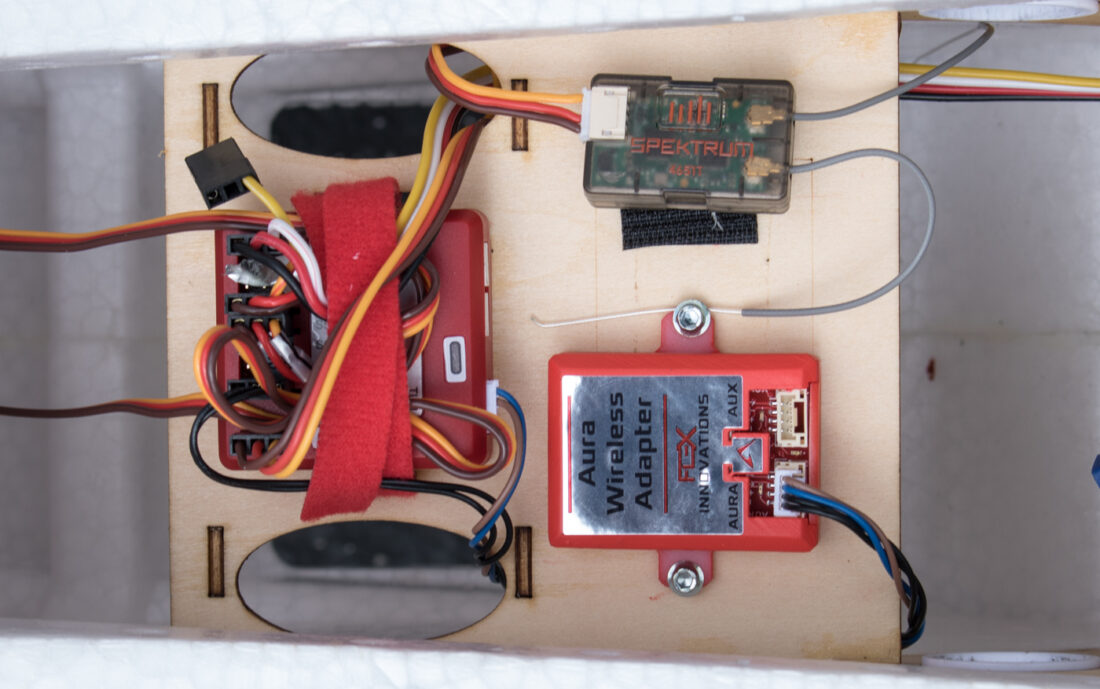
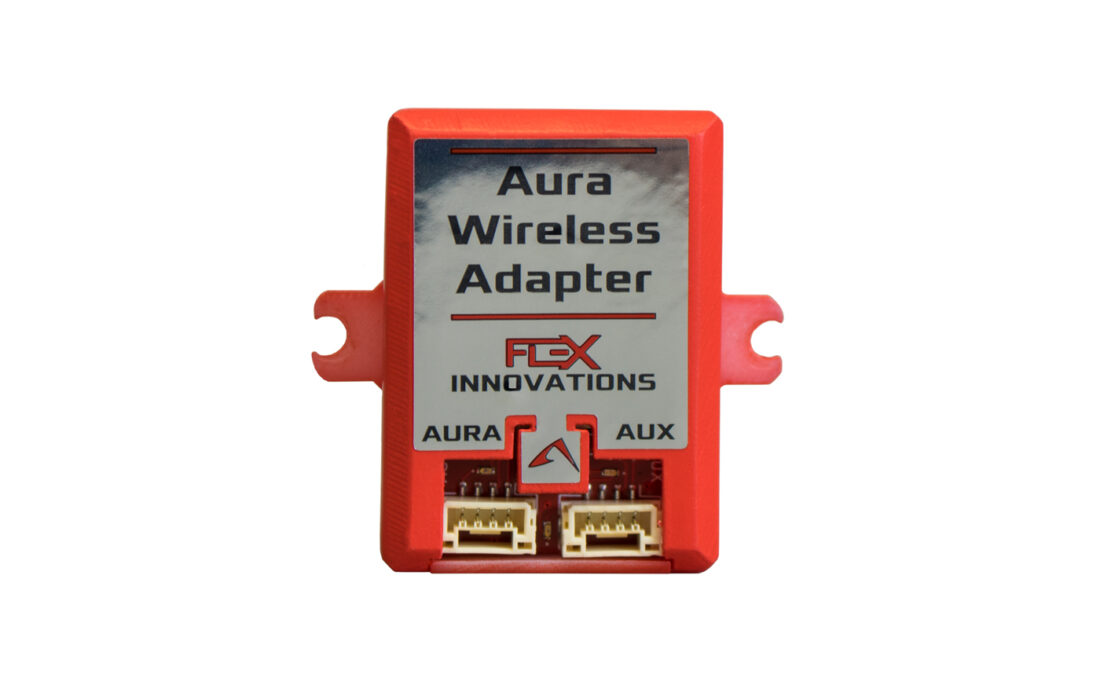
The Aura Wireless Adapter will allow Aura Link app to communicate with all Aura AFCS products wirelessly, making setup, tuning, and quick changes even more convenient. Instead of connecting with a USB cable, pilots will be able to connect from their phone or tablet and make supported Aura adjustments with a simpler, more mobile-friendly workflow.
The Aura Wireless Adapter is also being designed to support future updates, allowing us to continue expanding features and improving the Aura Link app experience over time.
Get Your Flex SUPER PNP with the Aura Wireless Adapter Installed and Ready for Wireless Tuning!
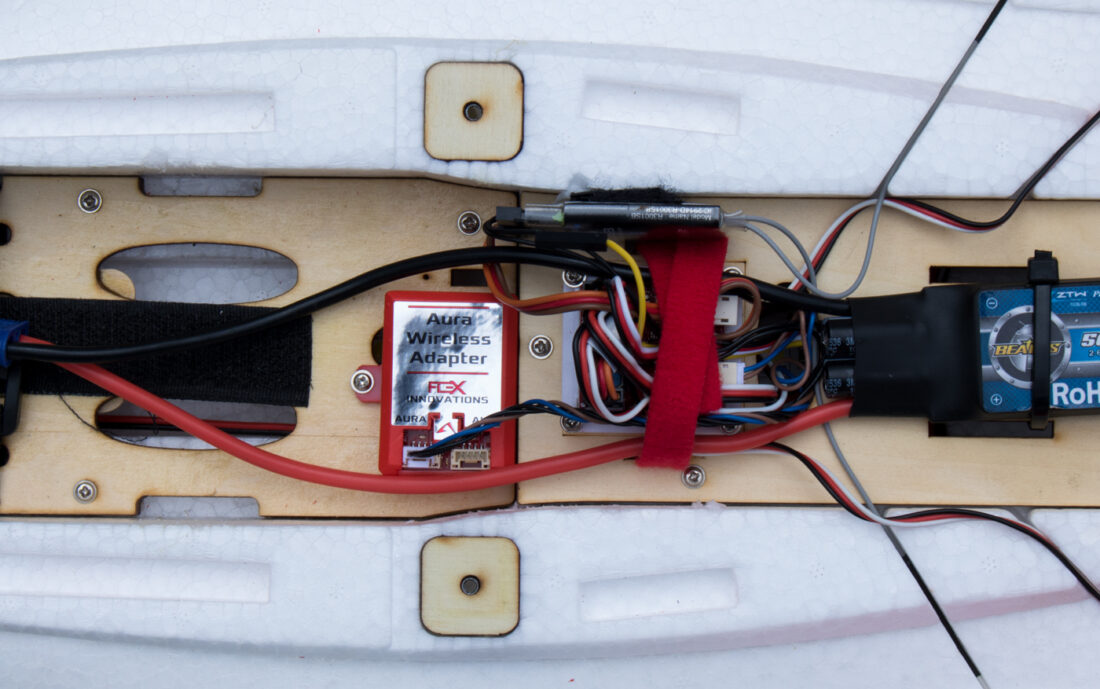
Take your Flex SUPER PNP experience to the next level with our Aura Wireless Adapter installation service. We’ll install and securely mount your Aura Wireless Adapter, connect it to your Aura AFCS, and update the Aura to the latest firmware. Once installed, the Aura Wireless Adapter can remain in the aircraft, giving you convenient wireless access to your Aura through the Aura Link mobile app whenever you would like to review or adjust your settings.
You can also have the receiver of your choice professionally installed and configured at the same time. Your Flex SUPER PNP will still arrive factory configured. Simply program your transmitter using the settings provided in your Flex SUPER PNP instructions, bind your receiver, and get ready to fly!
Adding both Aura Wireless Adapter installation and receiver installation?
Recieve $15 off each installation, when ordering 2 or more installations on the same order. The additional installation/s charges will be automatically reduced at checkout.
Aura Link App
Android
Scan to download Aura Link for Android

iOS
Scan to download Aura Link for iPhone and iPad

Aura Link is a mobile companion app for Flex Innovations Aura devices. It is developed in-house by our team to make Aura easier to access, easier to understand, and easier to tune — whether you are at home, in the workshop, or at the flying field. Designed to make Aura setup, tuning, and support easier than ever, Aura Link puts many of the most important Aura tools directly on your Apple or Android mobile device. Our goal is simple: make it faster and more convenient for pilots to connect to Aura, make adjustments, check settings, and get back to enjoying the experience of flight.
The app is designed to connect to compatible Aura devices, read the current setup, display useful live information, allow supported changes, and write those changes back to Aura.
Aura Link App Features
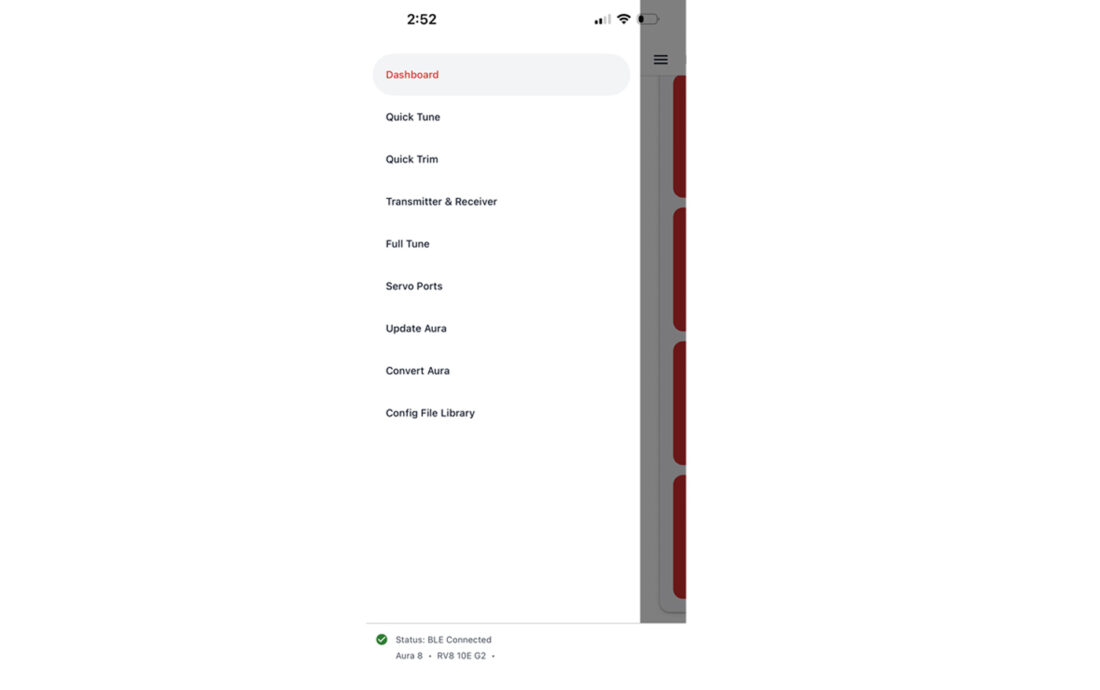
- Dashboard and Connection Tools: Quickly connect to Aura, view connection status, and access the main app sections from a mobile-friendly dashboard.
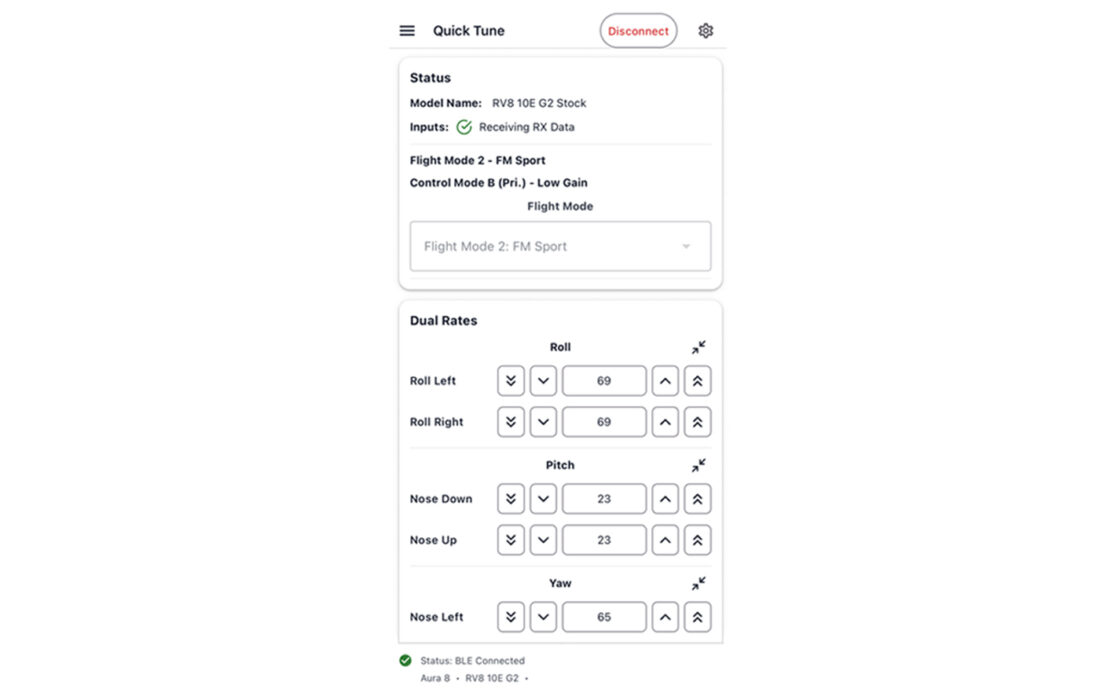
- Quick Tune: A field-focused tuning screen for common adjustments such as rates, expo, gain-related settings, flight mode selection, sensor orientation, and selected output settings. This screen is intended to make the most common tuning tasks easier to find and faster to adjust.
- Transmitter and Receiver Setup: Tools for reviewing and adjusting transmitter/receiver related setup items, including transmitter type, receiver type, channel order, input direction, and other key input settings.
- Servo Port Setup: A dedicated screen for reviewing and configuring Aura servo outputs. This includes assigning ports for different wing types, different tail types, naming servo ports, setting up custom servo port outputs, enabling custom quick trim behavior, and helping with recommended channel remapping for features such as differential thrust, nose wheel steering, and thrust vectoring.
- Quick Actions: Fast access to common Aura actions such as Quick Trim, with clear confirmation prompts and device status information.
- Monitor Tools: Live monitoring screens for viewing important Aura data while connected. These tools help pilots confirm input behavior, servo output behavior, attitude information, and other live values.
- Firmware and Bootloader Updates: Aura Link includes update tools designed to check for available firmware and bootloader updates, download the appropriate update file, and guide the user through the update process with important safety prompts.
- Configuration File Library: A cloud-connected library for Aura configuration files. Users will be able to save, organize, share, and retrieve supported Aura configuration files, including personal files, official Flex Innovations files, and shared files where available.
- Full Tuner: A more advanced tuning section is in development and will provide deeper access to Aura setup and tuning options. With the Full Tuner, you’ll be able to fully adjust Mixes, Flaps, Aileron Differential, Control Modes, Flight Modes Dual Rates/Expo/Gains, Servo Ports, Launch Assist Settings, and more.





Reviews
There are no reviews yet.